
Detail no other stats site shows — and one-click highlight clips
L!NCHPIN takes a match back apart: the exact moment each fight started, where your shots landed, how many milliseconds a kill really took
Search, match review and recording alignment are free, and stay free. If it has been useful to you, a small donation helps cover the server bills.
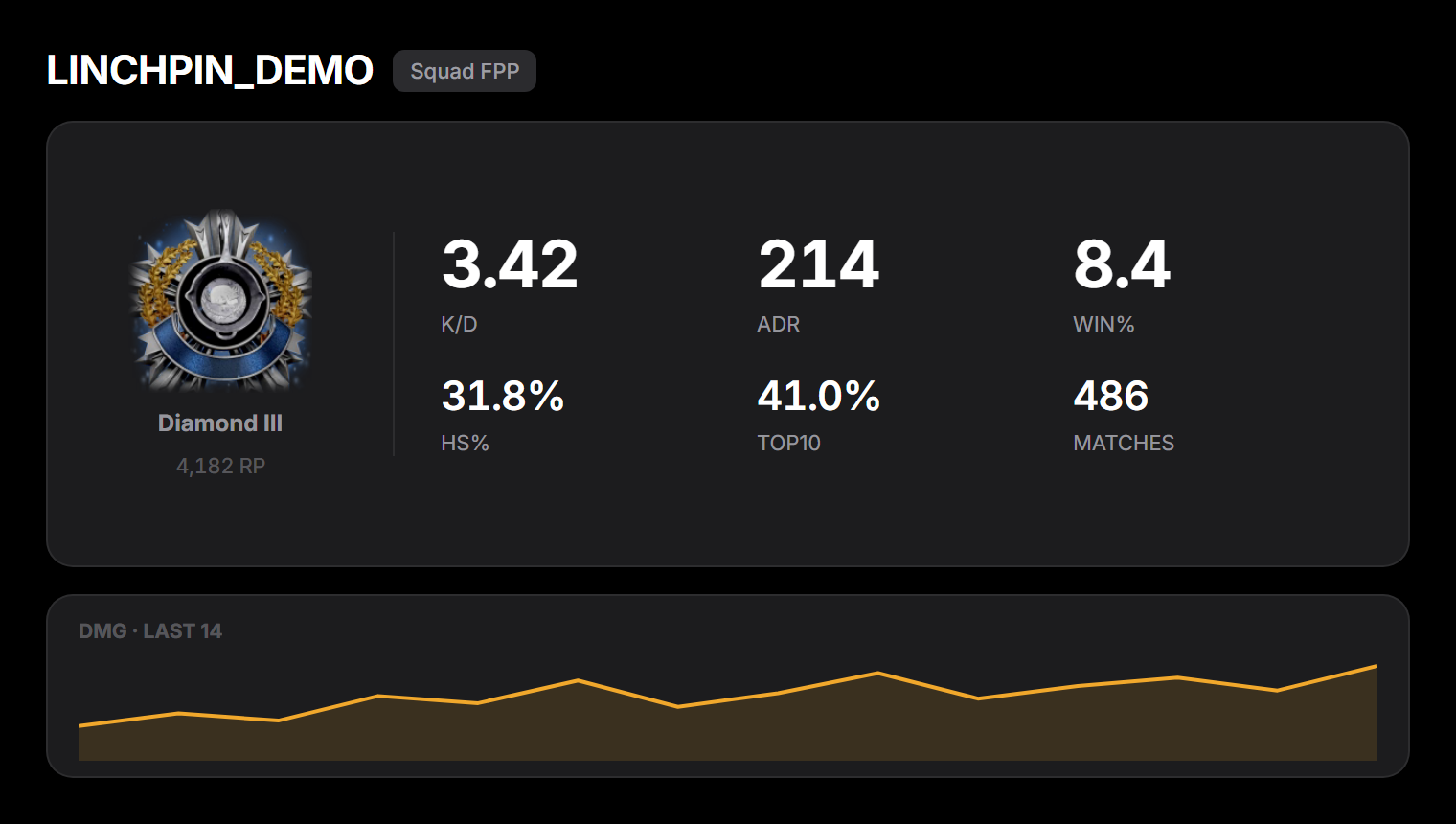
Start with an honest picture of where you are
Type an ID and get your rank, K/D, ADR, win rate, headshot rate and top-10 rate for ranked and normal queues, plus the damage trend across recent matches. Every figure is computed from real match records, not estimated.
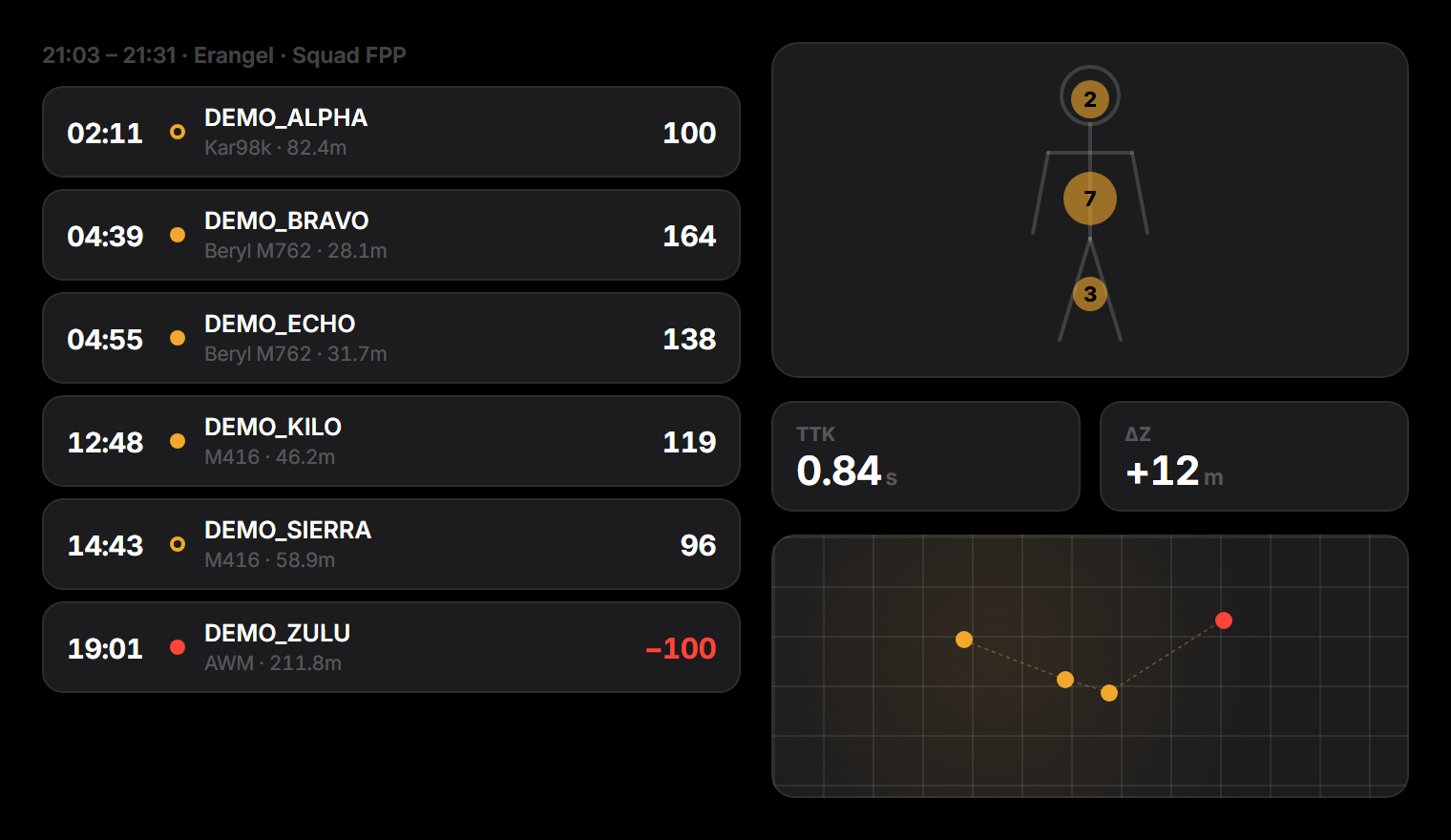
One match, broken into the fights that decided it
Engagement timeline, hitbox heatmap, real TTK and the height difference between you and them — all from the official telemetry, shot by shot. You can see how the match was lost, not just that it was.
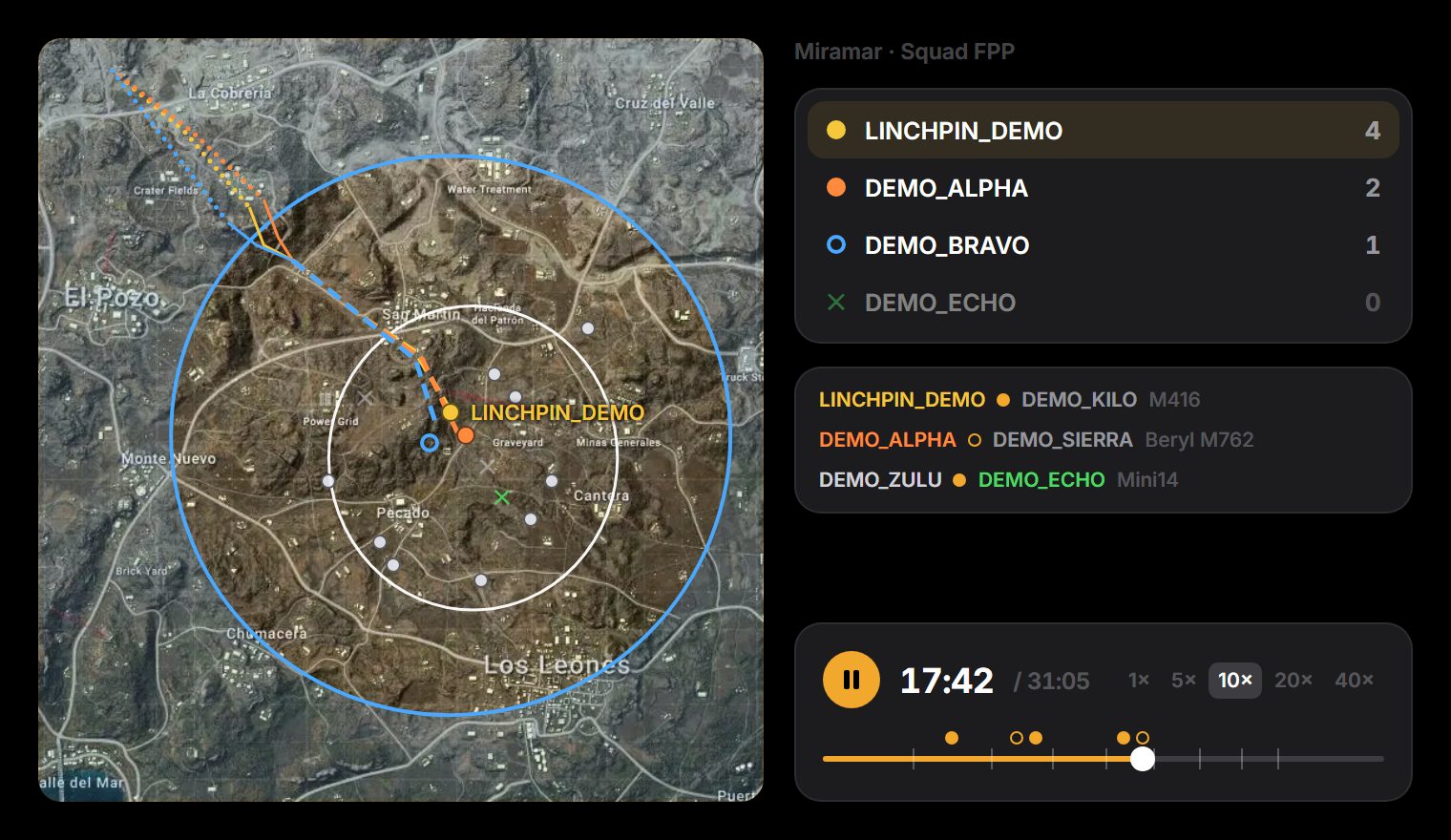
Watch the whole match play out again on the map
Where you dropped, every route you took, how the blue zone and the circle closed, and where each knock and kill happened — replayed on the map from the official telemetry. Scrub it at 1× to 40×, with your kills and knocks marked on the timeline, and share a link to any moment with your squad.
Put your own recording next to the numbers
We already know the second every fight in that match happened. Drop the video onto the replay page and the two line up
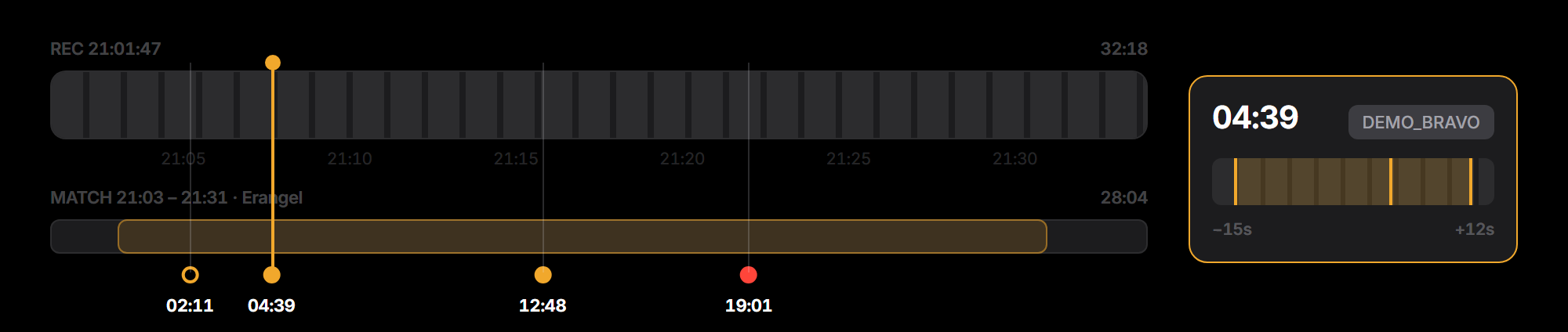
An in-game replay can’t replace the lag-free screen you actually played on It only records what the server remembers
- Drop the file in — its timestamp is matched against this match’s engagement times automatically
- Candidate clips ranked by how good they are: headshots, long-range kills, fast kills, clutches, multi-kill streaks
- Pick one and cut it to a short video in the browser, ready to post
- ✓ Free, no limits✓ Discord sign-in required✓ The video is never uploaded to us✓ Desktop only — that’s where your recordings are
It’s your point of view, so it only fits your own match
A recording is the view you actually played from. Drop it on someone else’s stats page and the timeline marks their fights, not yours. If the IGN you claimed isn’t the player on the page, the site says so
The alignment is a timestamp
We read the recording’s file time (OBS names files 2026-09-03 21-01-47 by default)
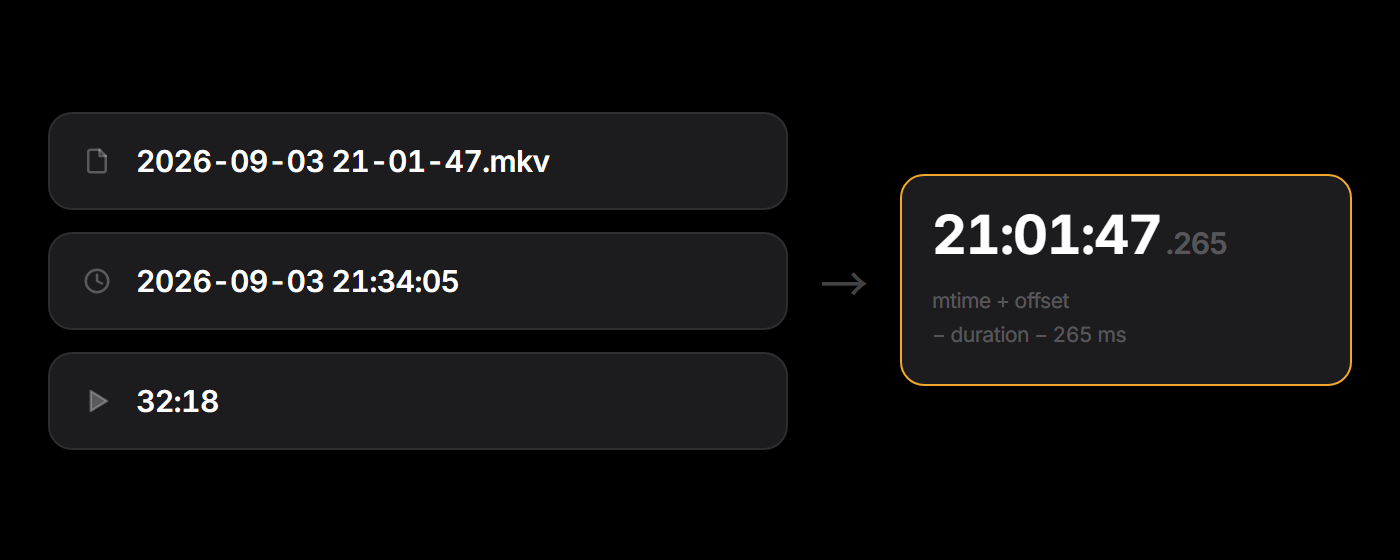
So use the original recording. Copying, re-encoding and re-downloading all rewrite that timestamp and the alignment drifts — if it does, the manual nudge slider and “align to what’s on screen” will still recover it.
Latest analysis
All articles ›Frequently asked questions
What is L!NCHPIN?
L!NCHPIN is a free PUBG stats lookup and per-match review platform. Beyond season numbers like K/D, ADR and headshot rate, it breaks a single match apart: a timeline of every engagement, which body part each of your hits landed on, and how many seconds a kill actually took (TTK).
Is it free? Do I need an account?
Looking up stats and reviewing a match are completely free, with no account needed. Lining your own recording up against a match and cutting highlights from it is free too — that one just needs a Discord sign-in.
Can I use my own recording to review a match?
Yes, and it's free — it just needs a Discord sign-in. Drop the video onto a match replay page and its timestamp is matched against every engagement in that match automatically, so clicking the timeline jumps the video to that moment. You can also cut a highlight to a short video right in the browser. The file never leaves your computer — nothing is uploaded to us. Use the original recording: copying or re-encoding rewrites the file's timestamp and the alignment drifts.
Where does the data come from?
Entirely from the official PUBG API, including each match’s telemetry event log — per-shot damage, hit location, millisecond timestamps. Every number on the site is computed from real match records, not estimated.
Which platforms are supported?
PC (Steam) accounts. PUBG player names are case-sensitive, so a lookup that finds nothing is usually a capitalisation typo rather than a missing player.
How far back can I look up matches?
PUBG’s official telemetry is retained for roughly 14 days, after which it cannot be fetched again. L!NCHPIN stores a snapshot of every match it has already processed, so season trends and history stay visible well past that window.
How is this different from other PUBG stats sites?
Most stats sites stop at season averages: they tell you your K/D, not why. L!NCHPIN is built around the single-match review — every engagement, the hitbox heatmap and the TTK laid out, so you can see how a match was actually lost, not just that it was.